Personal project
Frameflow: from an uploaded MP4 to a private adaptive stream
An uploaded MP4 becomes a private adaptive stream in 360p and 720p. A background workflow checks and encodes the file, and a video is never visible half finished.
- Problem
- A video upload is not finished when the bytes arrive. Transcoding takes minutes, any step can fail, and a viewer should never see a half-published stream.
- My part
- I built the upload studio, API, processing workflow and watch site, and deployed them on my own server with K3s, Argo CD and GitHub Actions.
- Result
- It runs on my own server. A 6-second test clip went from upload to playable stream in about 7 seconds of processing, and cancelling a run stopped FFmpeg within 9 seconds. No outside users are on record.
How a video moves through it
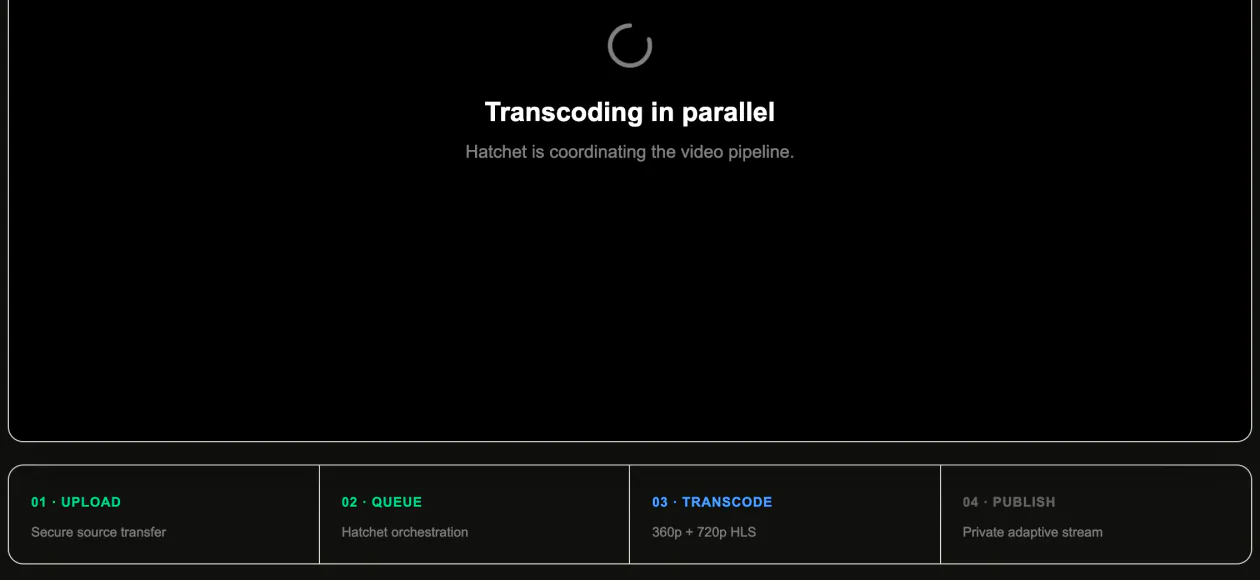
The browser asks the API for a short-lived upload URL and sends the file straight to private object storage, so the upload never passes through the API. The API then checks the stored object against what was declared and hands the job to a Hatchet workflow.
What the design trades off
Decision
Publish the master playlist last.
- Why
- Renditions upload to a staging area for that run, then copy into the published location. The master playlist is written only after all of them exist, so a viewer can never start a stream that is missing a rendition.
- Cost
- An extra copy step, and publication has to tolerate retries after a partial copy.
Decision
Let the workflow engine own execution, and keep the database as a view of it.
- Why
- Hatchet holds retries and run history. SQLite holds what the product needs to show, updated by callbacks from the worker.
- Cost
- The two can drift. A scheduled reconcile job repairs that: when a cancelled run left a record stuck in processing, the job corrected it about 38 minutes later.
Decision
Keep the public site read-only.
- Why
- One access key unlocks the studio. Visitors can watch but not upload, which stops abuse and storage costs on a personal server.
- Cost
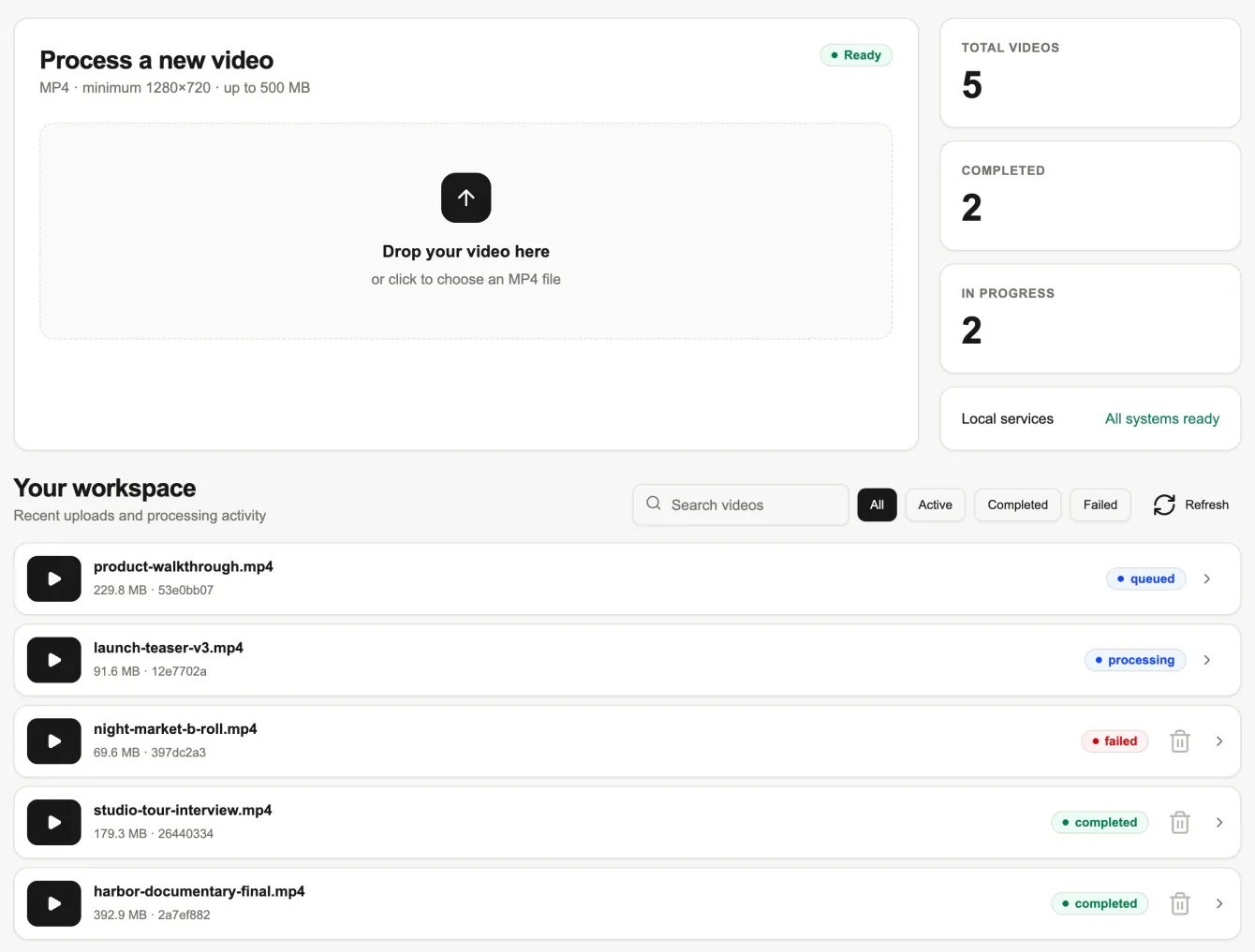
- Visitors cannot try the core feature, so the studio and status screens here are local previews built from sample records.
What was tested on the live server
- Upload, scheduling, encoding, HLS output and browser playback, end to end.
- A source below the 1280 by 720 minimum fails after probing, and no encode runs.
- A second video waits in the queue while the first one encodes.
- Cancelling mid-encode stops FFmpeg and removes its scratch files.
- Records and run history survive restarts of the API, the queue's database and storage.
- A manual backup, an isolated restore test, and an off-server copy that restored and matched.
What is thin or not done
It runs on one shared server, and SQLite means one API replica. The likes, comments and playlists are partly wired. There is no CDN or resumable upload. Supabase sign-in is implemented, but no run against a real project is recorded, and no phone testing is recorded. The five small UI primitives follow shadcn/ui's open code, with changes.
What each technology did
- Presigned uploads
- Keep uploads off the API. The browser sends the file straight to private object storage, and the API checks it afterwards.
- Hatchet
- Runs the pipeline as small tasks with timeouts, retries and a queue, so one failed encode retries without redoing the rest.
- FFmpeg and HLS
- Produce 360p and 720p renditions with fixed-length segments for adaptive playback.
- Next.js and Video.js
- Power the upload studio, the four-stage status view and playback through a private stream proxy. The player controls are Video.js's own skin.
- K3s and Argo CD
- Run the web app, API, worker, queue and storage on one server, each image pinned by digest.